
Control every project document inside SharePoint
Number, review, sign and share drawings and documents with your team, clients and vendors. No new platform, no new logins.
 Greenfield Logistics Park, Phase 2 PRJ-GLP-002
In progress
Greenfield Logistics Park, Phase 2 PRJ-GLP-002
In progress
Stop chasing documents across email and shared drives
One source of truth
Every document numbered, with its full revision history.
Faster approvals
Review workflows with deadlines, reminders and DocuSign.
Clean handovers
Transmittals record what was sent, to whom, and the reply.
Nothing new to learn
Works in SharePoint, Teams, Outlook and Word.
 Review requested
GLP-002-DWG-0142
Review requested
GLP-002-DWG-0142
Why MPower365
Project Document Management System
More than storage — a complete project-ready platform.
Built on Microsoft 365
Leverage SharePoint, Teams, and Outlook.
Familiar Experience
Adopt quickly with tools your teams already use.
Rapid Deployment
Preconfigured workflows for quick time-to-value.
Scalable & Secure
Future-ready, built for large and complex projects.
Compliance by Design
ISO and regulatory needs embedded.
From first draft to final transmittal
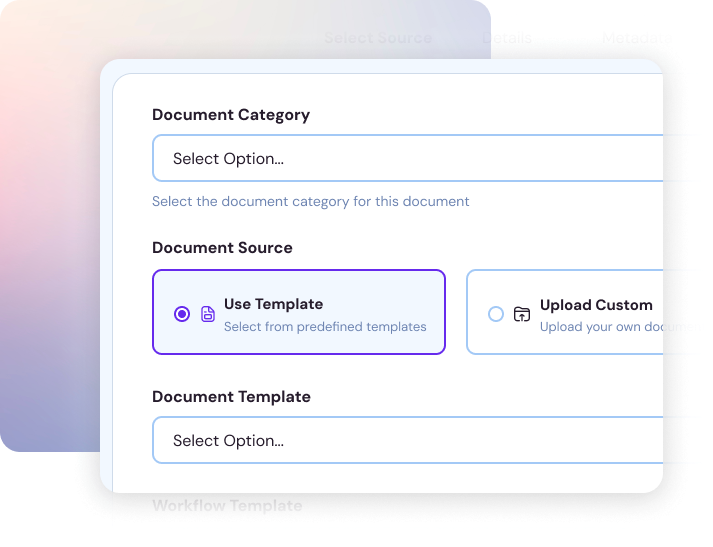
 Document ManagementGreenfield Logistics Park – Phase 2(PRJ-GLP-002)
 GLP-002-STR-DWG-0143.docx
Documents
Document ManagementProject Document Management SystemMPower365One workspace for every vendor
Requests, chat and submissions in one place. Vendors sign in with a one-time code, no Microsoft 365 account needed.
MPower365 Copilot enabled
Upload a file. Copilot summarises it and fills in the metadata.
You review the suggestions before anything is saved. Summaries stay with the document.
★ Needs a Microsoft 365 Copilot licence for each user, and AI enabled in your PDMS plan.
Fire safety specification.docx
Uploaded just now · 2.4 MB
Copilot is reading…
Sets fire detection and suppression requirements for Warehouse B, including sprinkler coverage, alarm zoning and inspection intervals.
Use the Microsoft 365 you already pay for
PDMS
Runs in your tenant
Common questions
Yes. PDMS runs on your SharePoint Online site, and your team signs in with their usual Microsoft 365 account.
In your own SharePoint. Your security policies, including MFA and conditional access, still apply.
No. Clients use a secure link. Vendors sign in with a one-time code sent by email.
Yes. Vendors only see their own projects and shares. You can suspend a vendor and audit their activity.
Yes. Any review stage can require a DocuSign signature, and PDMS tracks it until it is signed.
A Microsoft 365 Copilot licence for each user who runs them, and AI enabled in your PDMS plan.
See PDMS on a project like yours
Free demo and quote. No obligation.